The Desk That Fits Between Work and Home
Use the shape of a small room, the direction of daylight and a few ordinary objects to plan a compact workstation you can actually use.
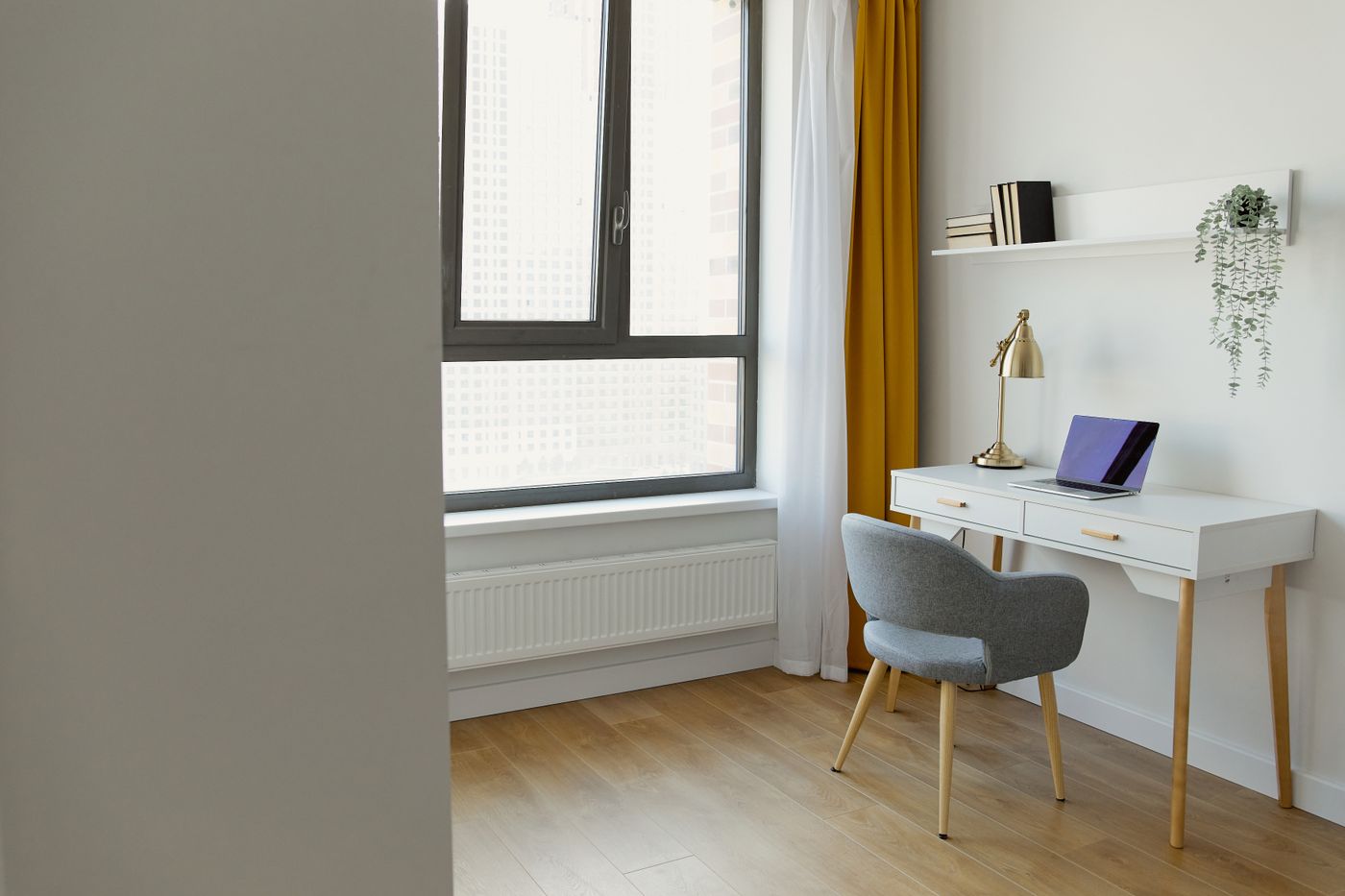
An open laptop takes up remarkably little space. The person using it takes up rather more. There is a chair to move, a foot that likes to tuck back, a glass of water to keep clear of the keyboard and, eventually, a power lead that has to go somewhere. Small desks fail when they solve the problem of finding a flat surface and leave all of those other problems intact. They can look persuasive in an empty room and become an obstacle as soon as somebody sits down.
You can make a good workstation in a bedroom or shared living room by starting with the space a working person occupies. Before shopping, try the arrangement with a chair you own and something roughly the size of your screen. The first useful discovery might be that the site you assumed was too small works perfectly well. The second might be that your ideal desk needs a different shape from the one you had in mind.
Find the chair before the desk
Choose two possible locations. Put a chair in the first, face the wall or window as you would while working, and have somebody walk behind you. Try standing up naturally, without thinking about the furniture. Then open whatever door, wardrobe or drawer shares the space. In a narrow room, a desk can be shallow enough to fit and still push your chair into the route to the bed. Looking at the floor plan without a chair would miss that.
Take three measurements for each spot. Note the width available along the wall. Measure forward from the wall to where you actually sit. Then mark how much farther back the chair travels when you leave it. Put pieces of paper on the floor to represent the front edge of the desk and the back of the chair. The piece behind the chair is often the one that settles the question. A quiet corner where nobody needs to pass can accommodate furniture that would make a corridor feel cramped.
Give the chair itself a fair trial. A dining chair may be fine for checking email or filling out a form. If you expect to spend several hours there, look for a seat you can adjust so your feet are supported and your shoulders can relax as you type. Check armrests against the actual desk height, including anything mounted underneath. When the chair cannot slide under the desk, it takes up floor space after work as well as during it.
Set the depth with the things you use
A small workstation serves its owner best when its depth comes from an arrangement that has already been tested. Open the laptop, put down the notebook and set your hands where they rest while typing. Use a kitchen table as a temporary surface if you need one. Lay a strip of paper beyond the computer to show where the wall would be. Move it toward you in stages. Stop as soon as the screen feels too close, the lid will not open as far as you like, or the charging connector has to make a tight turn.
If you use a separate screen, include its stand in this experiment. A stand with long feet may take up much of a shallow surface. Some screens are light enough to work with a suitable arm, but the arm has to fit the desk edge and the desk has to support the load. Where wall or desk fixings are out of the question, try a stand with a smaller footprint or shift the desk out a little, provided the chair can still clear the room. Moving a screen toward the wall gains surface area only if its cables have somewhere to bend.
Write down the measurements of the arrangement you liked, including the space for a notebook opened flat. You may find you need a little more width for paper and very little extra depth. Somebody using a monitor and drawing tablet might find the opposite. That is a better basis for buying a desk than a photograph of a surface with a closed laptop and a single pencil.
Test the window at the hours you work
Rooms with good daylight can still be difficult places to read a screen. Look at the display from the proposed seat in the morning and later in the day. A bright window directly behind you can reflect in the screen. A very bright window straight ahead can make it uncomfortable to look between the display and the room. Start with the screen at an angle to the glass and rotate it a little at a time. Notice how the reflection moves.
Keep the light you need on paper in mind. For handwriting, a desk lamp on the side opposite your writing hand usually keeps your hand from casting a shadow across the page. If the lamp has to share a very small surface, try it on a nearby shelf first and see whether the light actually reaches the work. An adjustable shade can direct light onto a notebook without putting a bright bulb into your line of sight. When the desk is in a bedroom, check where that beam lands from the bed as well as from the chair.
On video calls, sit at the actual distance and open a preview. A book can prop up the camera for a short test. Watch where the window appears in the frame and how the picture changes when a cloud passes. If the desk needs to face away from the window for privacy, a lamp that lights the wall in front of you may give you a steadier image than constantly raising and lowering the blind.
Give the wires an easy route
Locate the socket before deciding where to put the desk. A cable that crosses a doorway looks temporary and still gets stepped on. Prefer a wall-side route, with enough slack at the plug and device that ordinary chair movements will not tug it. If the desk stands against a wall with a thick skirting board, use the small gap behind it to guide cables down. Avoid crushing the wires between the furniture and the wall.
Think about how often each connection changes. A monitor lead and lamp can stay routed together. A charger that leaves the house should be easy to release with one hand. A reusable tie loosely wrapped around cables is easy to change when you add a device. If you need a power strip, follow its instructions and keep it accessible. It is easier to check plugs and disconnect equipment when the strip is within reach.
Spend a minute looking underneath the table while you sit down. A hanging bundle can catch a knee or a bag strap. A wire loose on the floor often ends up under a chair wheel. A tiny change in where cables drop, made before loading the desk, can make the whole arrangement easier to maintain.
Make room for the end of the day
A desk in a shared room needs a closing routine that takes about as much effort as opening it. Try deciding where the notebook goes before deciding where it lives during work. A tray on a bookshelf, a low drawer or a sturdy standing file can hold the things you need tomorrow. Items that travel between rooms can share a single pouch. The idea is to keep the workday from gradually occupying the entire wall.
Open storage works when the objects are easy to grasp and you use them often. A headphone hook at the end of a desk can free the surface, provided it does not protrude into a path. A lidded box works better for spare adapters that need to be found once every few months. Things that sit between those two groups, such as a stapler or a small external drive, deserve the reachable spot. During the first week, pay attention to which objects you leave out simply because putting them away takes several motions.
If another person uses the desk, leave space for their routine too. Two shallow trays can be enough to prevent one person from packing away a document the other still needs. Give each person a turn setting up the chair, screen and lamp. Mark useful settings on a scrap of card if that makes switching faster. In a home where the desk doubles as a craft or study surface, a moveable laptop stand can restore a surprising amount of space between uses.
Try three working days before buying more
Set up a provisional version using existing furniture. On the first day, check how your legs and arms feel after you have done an ordinary task, such as replying to email or working through a page of notes. On the second day, check the room at a different hour and look at the light. On the third, put everything away and see how long it takes to return the room to its other job.
Keep a short record of the snags you actually encounter. “I keep hitting the wastebasket with my foot” points to a small change. “I pull the chair into the doorway to stand up” points to a different position or a shallower desk. “My screen is dark at three” gives you a time to test the lamp or adjust the blinds. Each note should lead to something you can move or try.
A small workstation can feel settled even when its parts come from different rooms. Give the chair a clear way out, keep the light where it is needed and make tomorrow's setup obvious. Then use the surface for a while. When you finally buy something, you will know which bit of daily friction it is supposed to remove.